Finally, The LinkedIn Resume Builder That Turns Applications Into Interviews
Turn application fatigue into career momentum with a professional resume creator from LinkedIn designed to get you noticed by hiring managers.
Create My Resume Instantly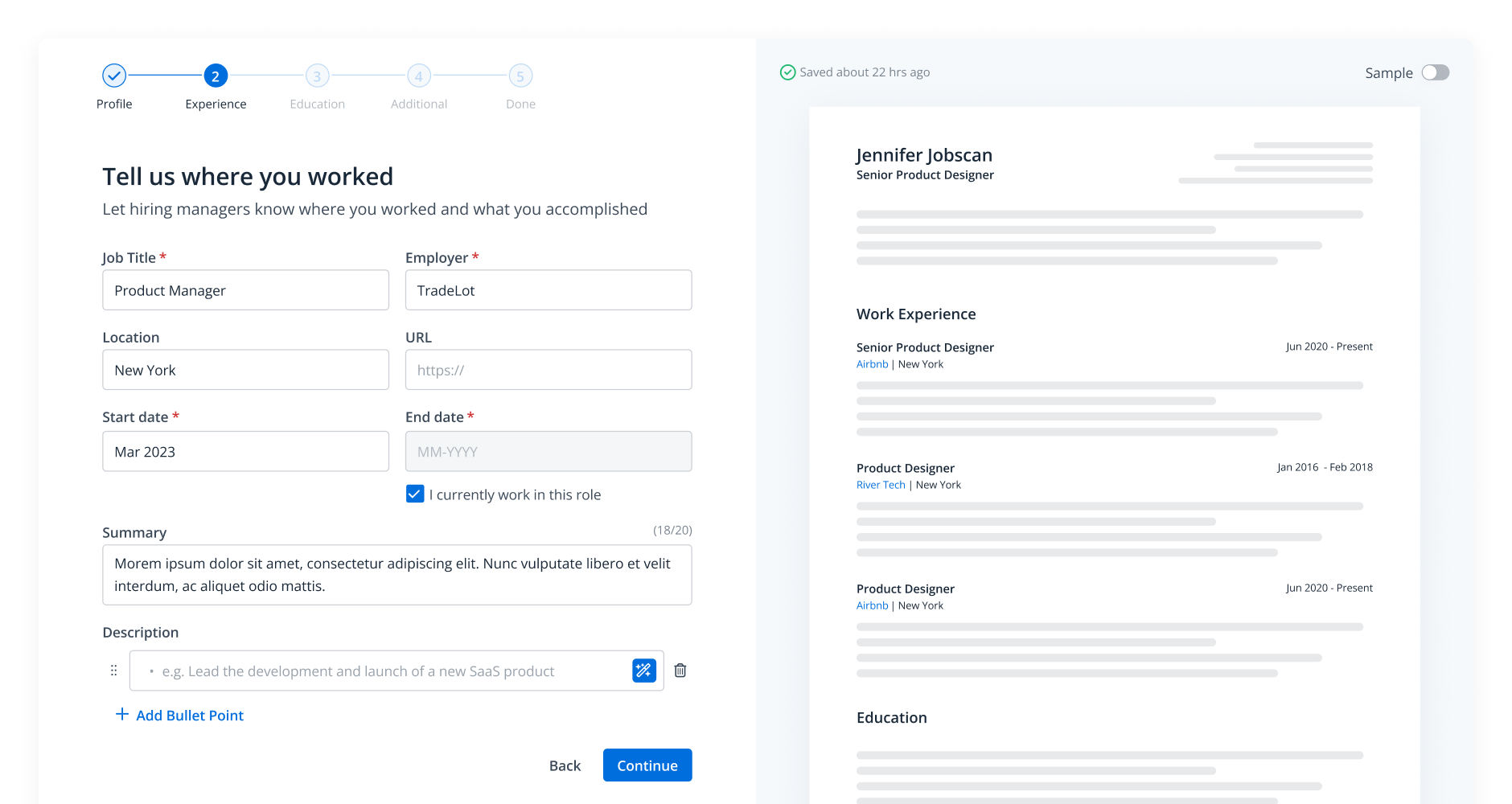


Start building your resume with AI and these ATS-friendly templates
Just click on any template to be taken directly to our resume builder, where the selected template will be pre-loaded and ready for customization. Each template is fully optimized for applicant tracking systems (ATS), giving your resume the best chance of getting noticed by employers.

Why Use Jobscan’s Templates?
All of Jobscan’s templates are
-
ATS-friendly
-
Optimized for readability
-
Clean and professional
-
Aligned with best practices
And all of Jobscan’s templates are free to use in the resume builder.

Why Use Jobscan’s Templates?
All of Jobscan’s templates are
-
ATS-friendly
-
Optimized for readability
-
Clean and professional
-
Aligned with best practices
And all of Jobscan’s templates are free to use in the resume builder.

Why Use Jobscan’s Templates?
All of Jobscan’s templates are
-
ATS-friendly
-
Optimized for readability
-
Clean and professional
-
Aligned with best practices
And all of Jobscan’s templates are free to use in the resume builder.

Why Use Jobscan’s Templates?
All of Jobscan’s templates are
-
ATS-friendly
-
Optimized for readability
-
Clean and professional
-
Aligned with best practices
And all of Jobscan’s templates are free to use in the resume builder.

Why Use Jobscan’s Templates?
All of Jobscan’s templates are
-
ATS-friendly
-
Optimized for readability
-
Clean and professional
-
Aligned with best practices
And all of Jobscan’s templates are free to use in the resume builder.

Why Use Jobscan’s Templates?
All of Jobscan’s templates are
-
ATS-friendly
-
Optimized for readability
-
Clean and professional
-
Aligned with best practices
And all of Jobscan’s templates are free to use in the resume builder.

Why Use Jobscan’s Templates?
All of Jobscan’s templates are
-
ATS-friendly
-
Optimized for readability
-
Clean and professional
-
Aligned with best practices
And all of Jobscan’s templates are free to use in the resume builder.
Build a polished resume instantly with our resume builder from LinkedIn
Your career experience is already on LinkedIn, so why retype it? Our tool seamlessly imports your data into a clean, ATS-ready format, saving you hours of tedious work. You get a professional resume ready for review in just a few clicks.
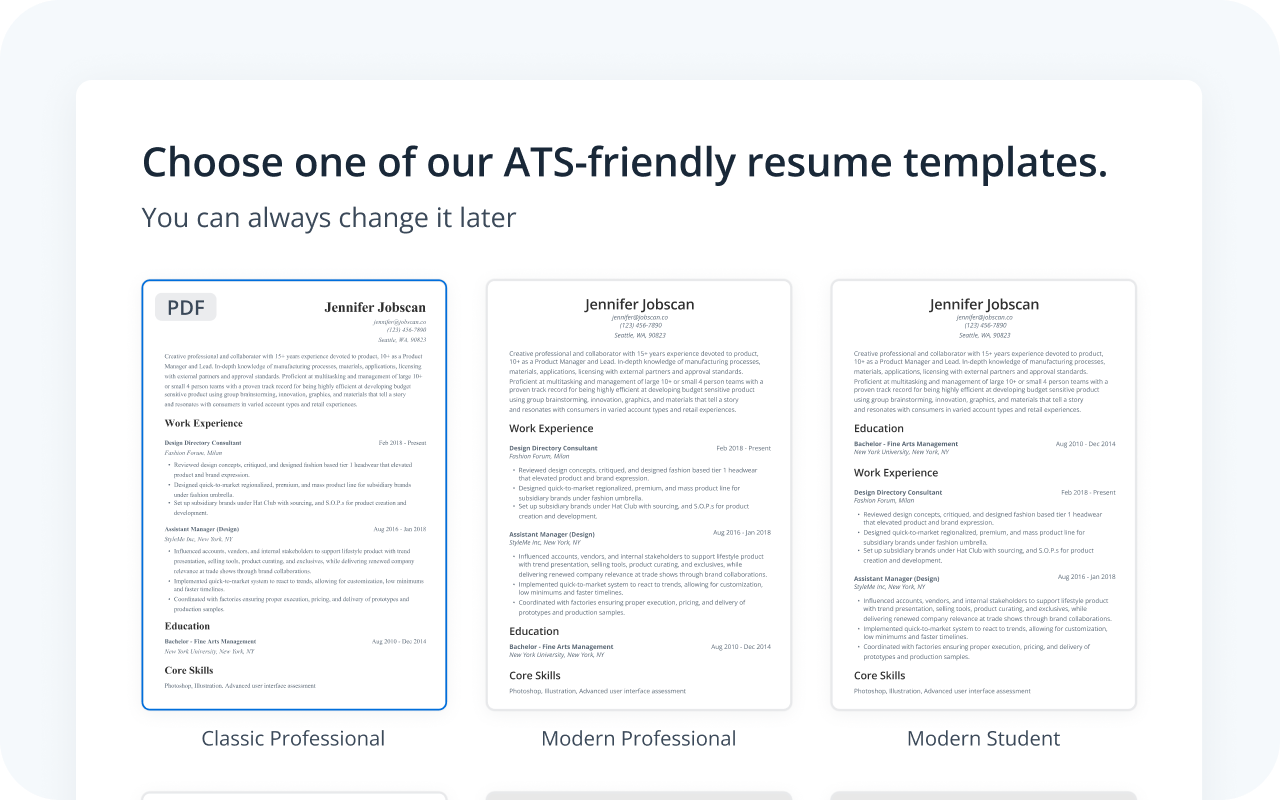
Get a recruiter-approved layout with our resume builder from LinkedIn
We transform your profile data into a clean, modern design chosen by hiring managers. Each template is optimized for readability and compatibility with employer applicant tracking systems. You can apply with confidence knowing your resume is formatted for success.
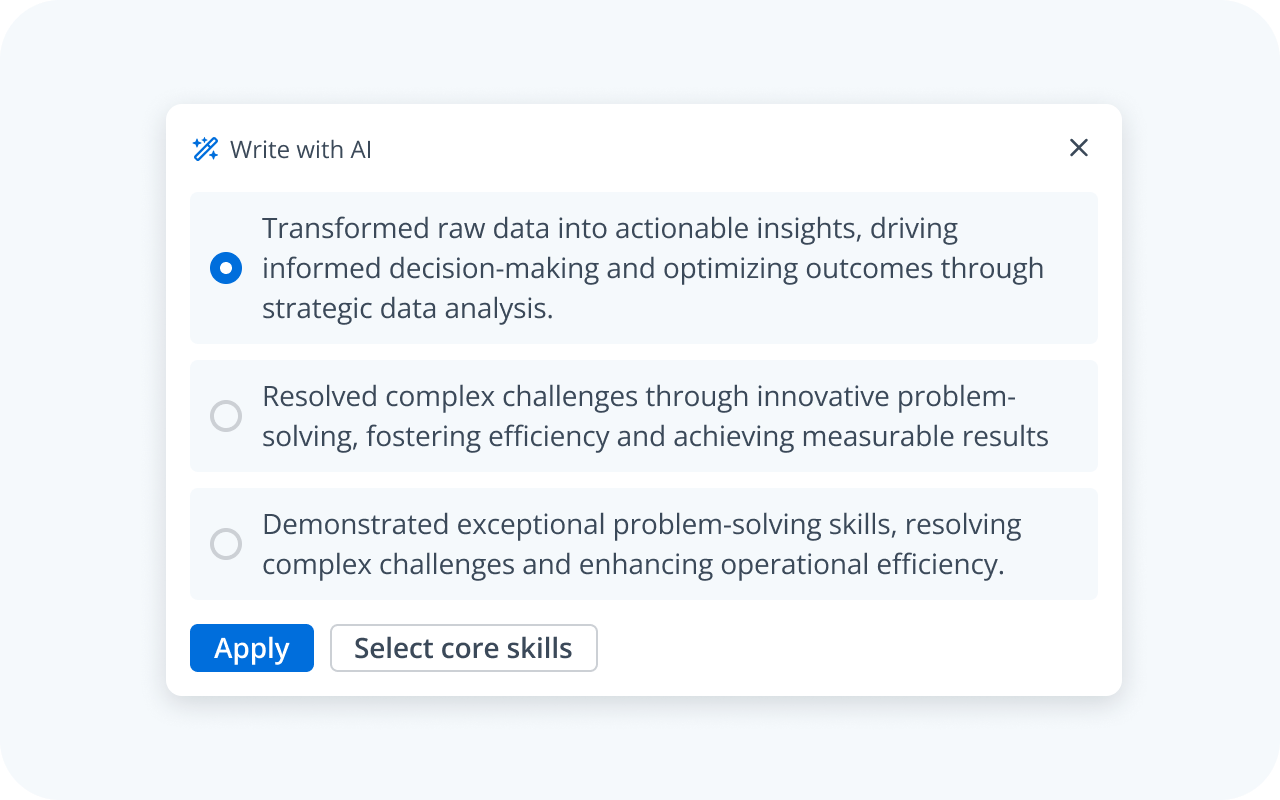
Land more interviews by speaking the recruiter’s language
Our AI tool uses your existing work history and job title to identify the critical keywords and skills you should include. It provides specific, data-driven suggestions to align your resume with the skillset needed for your role.
You can then save your document as a base resume to scan against job descriptions for final optimization so your application clearly communicates that you are the right fit.
How to use the LinkedIn resume builder

Go to the resume builder

Choose to import your LinkedIn profile

Edit your resume as needed

Save as base resume or download as a PDF

FAQs
LinkedIn’s default resume download has limited formatting and is not optimized for modern application systems. Our tool converts your profile into a professionally designed, ATS-friendly resume that you can easily tailor for each job application.
Yes, our LinkedIn resume builder is free to use. Our goal is to provide every job seeker with the essential tools they need to build a powerful, interview-winning resume.