



People reach for Claude to write a resume for two good reasons: it writes clean, natural prose, and its large context window lets you paste your entire work history and a job description into a single chat. That combination makes it a strong drafting partner. It also has a blind spot that matters more than any of that.
Claude drafts strong resume content, and when you prompt it well, it will ask you for missing details instead of inventing them. What it cannot do is see what an applicant tracking system sees, so its draft needs a keyword and formatting pass before you send it anywhere.
This guide gives you the exact prompts, a full section-by-section walkthrough, and the part almost no other guide includes: we ran Claude’s finished resume through a scanner against a real job posting and published the score.
What Claude does well (and where it falls short)
Claude’s strengths line up with the hard parts of writing a resume. Its limits show up the moment your draft meets real hiring software. Keep that second list in mind, because it is exactly what the scan at the end of this guide exposes.
- Drafting summaries and bullets in a natural voice
- Holding your full history and the job description in context at once
- Asking for missing facts instead of inventing them
- Tailoring language to a specific role
- Score your resume against a specific job
- Know which ATS keywords the job scans for
- Guarantee clean formatting and length on export
- Place the exact job title where recruiter searches will find it
Step 1: Give Claude your raw material
Claude only knows what you tell it, so the quality of your resume is capped by the quality of your input. The real work of this step is getting your full history out of your head and onto the page.
How we tested this
The raw material came from a roughly 15-minute voice-to-text recording. I talked through every job, project, and number I could remember, with no resume to start from, then pasted that transcript into Claude. For settings, I mimicked Claude on a free personal plan, using Sonnet 5 set to Medium.
If you are building from zero, budget that time. A messy brain-dump is fine. Claude will organize it. What it cannot do is recover details you never gave it.
Once you have your material, set the ground rules before Claude writes anything. This prompt loads your context and, critically, tells Claude to ask about gaps instead of filling them with fiction.
Act as an expert resume writer and career coach. I’m going to give you my full work history and the job description I’m targeting. Don’t write any resume content yet.
First, read both. Then ask me up to 6 questions about anything that would make the resume stronger but is missing: unclear dates, roles with no measurable results, or any employment gap.
Rules for our whole session: use only the experience I provide. Never invent employers, titles, dates, tools, or numbers. If a bullet would be stronger with a metric I haven’t given you, ask me for it instead of guessing or leaving a placeholder.
Here is my full work history:
[paste your history here]
Here is the job description I’m targeting:
[paste the job description here]
Here is the job description I’m targeting: [paste the job description here]
When we ran this, Claude came back with clarifying questions about the roles that had no numbers attached, rather than quietly inventing results. That is the behavior you want, and it is the reason the anti-hallucination line belongs in every prompt that follows.

Step 2: Draft section by section
Do not ask for the whole resume at once. You get better output, and more control, by building it in pieces and reviewing each one.
The summary
Ask for options so you can choose the angle rather than accepting the first thing Claude writes.
Write 3 versions of a professional summary for me, 2 to 4 sentences each, no first-person pronouns. Base every claim only on the history I gave you. Aim it at the target job description, but don’t claim experience I don’t have. After the three versions, tell me in one line what each one is optimizing for so I can choose.
The experience bullets
This is where the long context earns its keep. You can rewrite every role at once, all measured against the same job.
Now write the work experience section. Go role by role, most recent first. For each role give me 3 to 5 achievement-focused bullets in the format: strong verb, what I did, result. Use only the facts and numbers I provided. Where I gave you no metric, write the bullet around the scope or outcome I described and do not fabricate a number. Flag any bullet where a real metric from me would make it much stronger.
The skills section
Have Claude separate what you can prove from what the job wants but you have not shown.
Build a skills section from my history and the target job description. Split it into a short list of core skills and a tools/technologies list. Only include skills I’ve actually demonstrated in what I told you. If the job asks for something I haven’t shown, list it separately under “gaps to address” rather than putting it in my skills.
Add this instruction to any drafting prompt. These words are the fastest way to make a resume read as machine-written. Tell Claude to use only verbs you would actually say out loud, and the drafts improve immediately.
Step 3: Tailor it to the job description
A base resume is not a targeted one. Tailoring is the step most people skip, and it is the one that decides whether your resume matches the role in a recruiter’s system. This is where you tailor your resume to the job description so the most relevant experience leads and the language mirrors the posting.
Here is the full job description again: [paste JD]. Do a tailoring pass on the resume you’ve drafted. Reorder and rewrite so the experience most relevant to this role comes first, mirror the job description’s language where it’s genuinely true of me, and prioritize the bullets that match its requirements. Don’t add anything I didn’t tell you. At the end, list what you changed and why.
Then run a gap check. This shows you, in plain terms, where you fall short of the role, using only your real experience to judge.
Compare my tailored resume to the job description. List the requirements this role wants that my resume does not yet address, using only my real experience to judge. For each gap, tell me whether it’s something I can honestly surface from my background or something genuinely missing. Don’t rewrite anything, just show me the gaps.
Claude tailors the writing well. What we noticed, and what the scan confirms next, is that it left the exact target job title out of the resume and missed several of the posting’s specific keywords, because it has no match signal telling it those things matter.
Step 4: We scanned Claude’s resume. Here is what happened
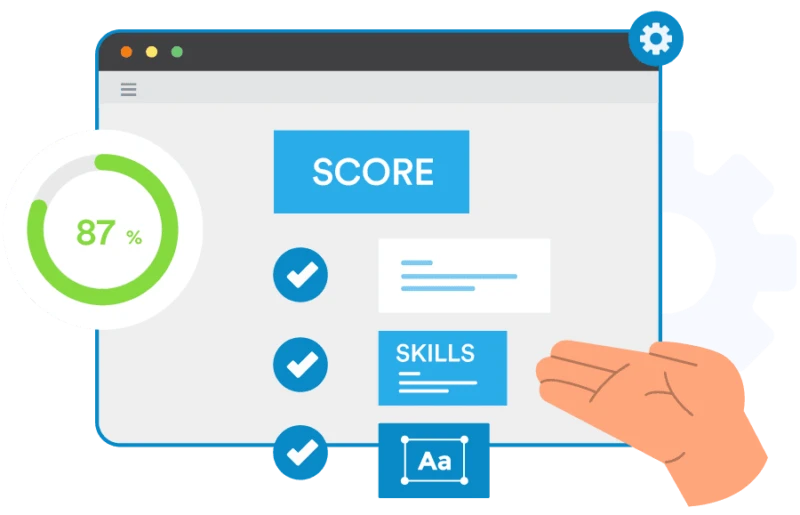
This is the part guides usually assert but never show. We took the tailored resume Claude produced, a product marketing candidate applying for a Manager, Product Marketing role, and ran it through a free resume scanner against the actual job posting.

The score breaks down into a clean split between what Claude handled and what it could not see.
- Summary present
- Contact details complete
- Education matched
- Passed the measurable-results check with 5+ quantified accomplishments (the payoff from Claude asking for real numbers in Step 1)
- Only 1 of 3 required skills matched
- 14 hard skills from the job missing
- The exact title “Manager, Product Marketing” appeared nowhere, so the title-match check failed
- The resume reflowed to three pages and dropped location fields on several roles
The most useful finding was in those 14 missing skills, because they came in two kinds:
Things this candidate had simply never done. No wording change fixes these. They are real, and honest tailoring means acknowledging them.
Skills the candidate clearly had, described in their own words rather than the words the job posting used. A scanner catches these. Claude, working blind, closed neither kind.
A scanner catches both. Claude, working blind, closed neither.
Step 5: Fix what Claude cannot see
The handoff from here is simple. You need to place the exact job title where the ATS will read it, close the keyword gaps the scan surfaced, repair the formatting and length, and iterate until the match rate is where you want it. None of that is writing. It is optimization, and it is precisely the work Claude has no visibility into.
This is where a purpose-built tool does what a general model cannot. Jobscan’s AI resume builder drafts with ATS-awareness built in from the first answer, not bolted on at the end:
Claude vs ChatGPT vs purpose-built for resumes
The honest comparison is short. Claude and ChatGPT are close as drafting tools. The real gap is not between the two general models. It is between any general model and a tool built for resumes, which is the difference our scan made concrete.
| Capability | Claude | ChatGPT | Jobscan |
|---|---|---|---|
| Natural writing quality | Yes | Yes | Yes |
| Long-context tailoring | Yes | Yes | Yes |
| Match score vs a specific job | No | No | Yes |
| ATS-aware formatting | No | No | Yes |
| Keyword targeting | Basic | Basic | Precise |
Basic: Claude and ChatGPT can work keywords into your resume, but they cannot measure your match against the job the way a purpose-built scanner does.
If you prefer ChatGPT, our guide on how to write a resume with ChatGPT walks the same process. For a closer look at the tradeoff, see Jobscan vs ChatGPT.
Broadly, yes, but use judgment. Avoid pasting sensitive identifiers like your full address, government ID numbers, or anything you would not want stored. Review the provider’s data and training settings so you know how your inputs are handled. For resume content itself, the risk is low and the upside is real.
The software that screens your resume, the ATS, does not run AI-authorship detection at all. It parses your experience and ranks you on keyword match. Human recruiters are a different story: they notice generic phrasing and AI cliche words, and unedited AI output reads as exactly that. Using AI to draft is not a red flag; sending it without making it sound like you is. Edit for your own voice, and read more on whether an ATS can detect an AI resume.
For drafting, they are comparable. Claude’s advantages are its large context window, which lets you tailor against a full job description in one shot, and its tone control. Neither tool scores your ATS match or guarantees ATS-ready formatting, so whichever you choose, plan to test and optimize the result.
The workflow, start to finish
Writing a resume with Claude works if you respect what it is good at and account for what it cannot see:
- Brain-dump your history, even if it takes a 15-minute voice recording
- Draft section by section, loaded with rules that stop Claude from inventing
- Tailor to the job
- Scan the result
- Fix and optimize what the scan surfaces
When we did exactly that, Claude produced a well-written resume that scored 64% against a real posting, strong on content, short on the ATS-specific details it has no way to detect. Close that last gap before you apply. Run any AI-written resume through a free resume scanner to see your match rate, or start in Jobscan’s AI resume builder and build it ATS-ready from the first draft.
Last tested August 2026 using Claude’s current free model.