Best Android Developer Resume Examples for 2026
From entry-level to senior, these 2026 Android developer resume examples show how to surface Kotlin, Jetpack, and shipped apps past the ATS.




The role of an Android developer is crucial in today’s tech-driven world, as mobile apps are an essential part of modern business. This guide will provide expert-written resume examples and tips to help you create a standout Android developer resume that grabs attention.
With over 1.5 million apps available on the Google Play Store, Android developers are in high demand. Employers are looking for candidates with strong coding skills, experience with Android frameworks, and a knack for optimizing app performance. A well-written resume is key to showcasing these qualities and securing a top Android developer role.
Ready to take your Android developer career to the next level? Keep reading for actionable tips and resume examples that will help you stand out in a competitive job market!
Senior android developer resume example
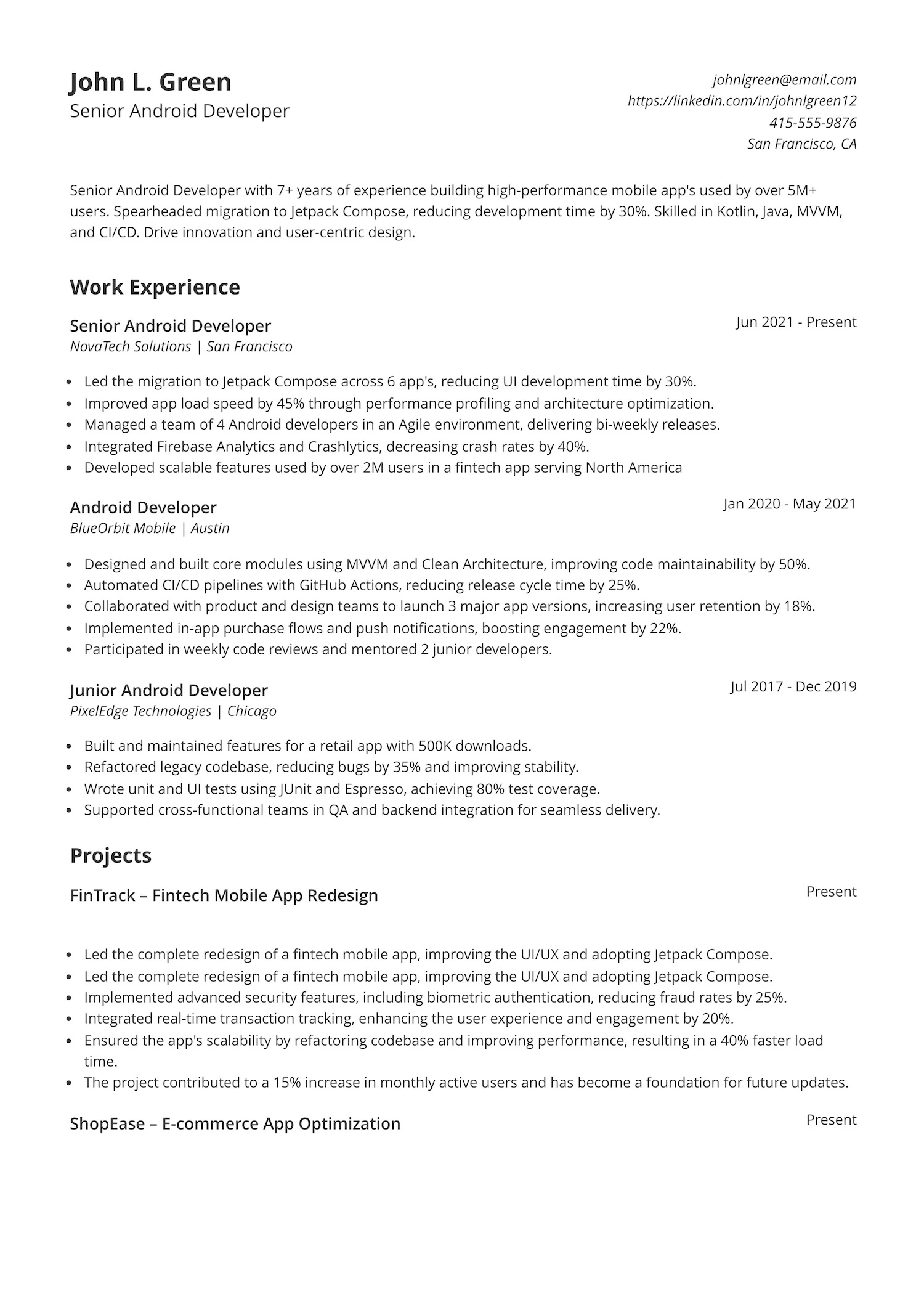
Are you looking to take your Android development skills to the next level? Want to be part of an innovative team that builds high-performance mobile apps used by millions? This resume demonstrates a strong track record in Android development, showcasing the ability to drive impactful results, improve app performance, and adapt to modern technologies.
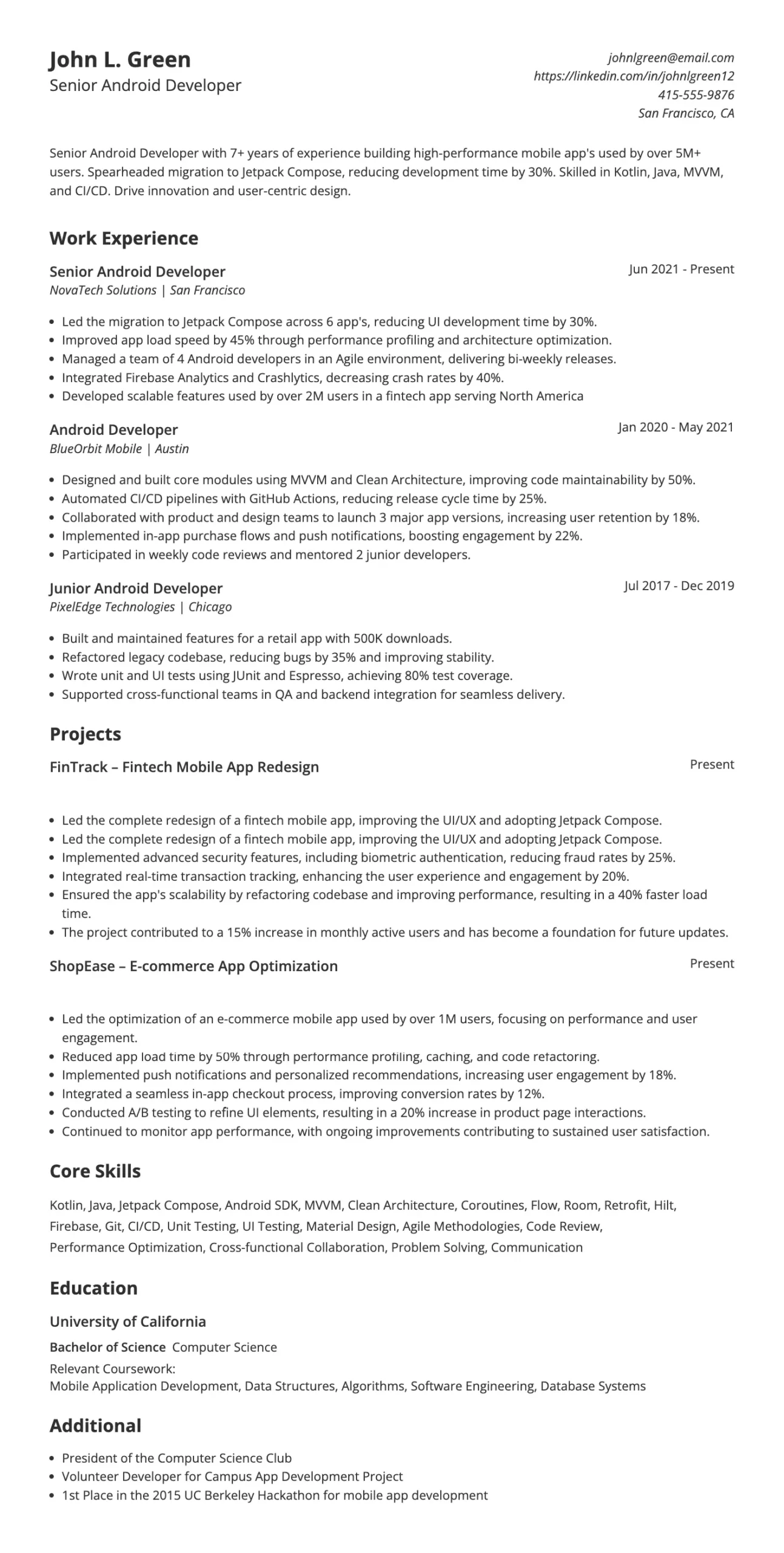
In a Senior Android Developer role, you’ll need to take charge of development efforts, enhance app performance, and collaborate with design and product teams. The role demands strong skills in Kotlin, Java, MVVM, and CI/CD, and experience with performance profiling and optimizing mobile applications. You’ll also be expected to mentor junior developers, maintain high code quality, and stay up to date with the latest trends in Android development.
This resume highlights senior-level impact with clear metrics and leadership experience. The dedicated projects section—like FinTrack and ShopEase—shows the ability to own and deliver complex features at scale. Each project ties back to real results that matter to employers. The clean, ATS-friendly layout makes it easy to scan, helping key skills and accomplishments stand out fast. It’s built to show value from first glance.
Junior android developer resume example
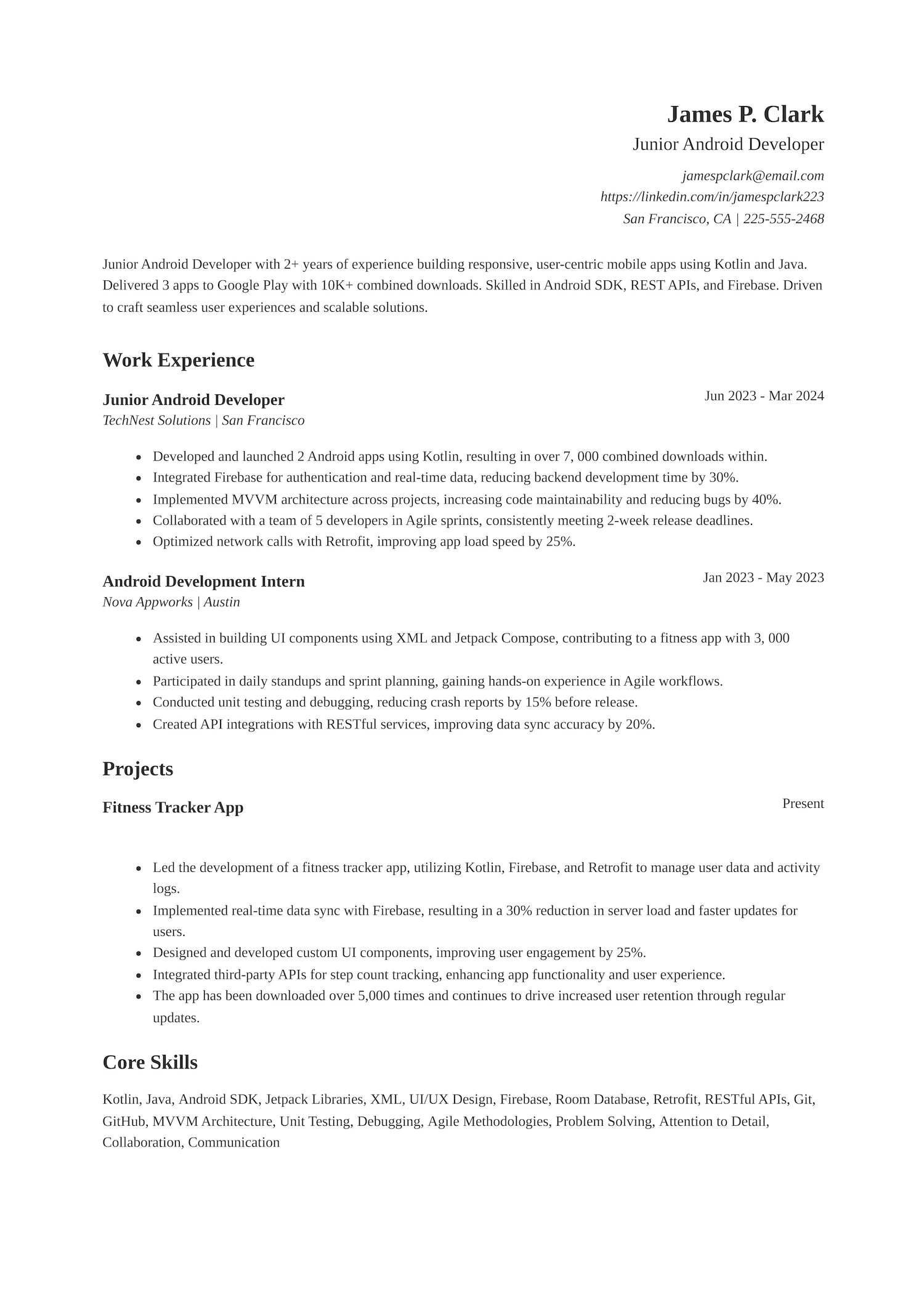
Wondering what a strong Junior Android Developer resume looks like? Not sure how to show off your Kotlin skills or highlight your app launches? The resume below is a great example—it’s clear, focused, and packed with real results that hiring managers want to see.

This role calls for someone who can build responsive mobile apps, collaborate in Agile teams, and write clean, maintainable code. Employers expect candidates to be comfortable with Android SDK, REST APIs, Firebase, and common architecture patterns like MVVM. If you’re aiming for this role, make sure your resume shows real project impact, teamwork, and solid technical foundations.
This resume works because it hits what hiring managers look for—clear skills, real results, and relevant education. The core skills section is packed with in-demand tools like Kotlin, Firebase, and MVVM. Even with limited experience, the education section backs it up with solid coursework and honors. Employers also like seeing real app launches and measurable impact, which makes the experience stand out. It’s focused, easy to read, and straight to the point.
Principal Android developer resume example
Trying to step into a senior Android developer position? Wondering what it takes to lead mobile projects that impact millions of users? Check out the resume example below—it shows how to highlight technical skills, leadership roles, and real results in a way that speaks directly to hiring managers.
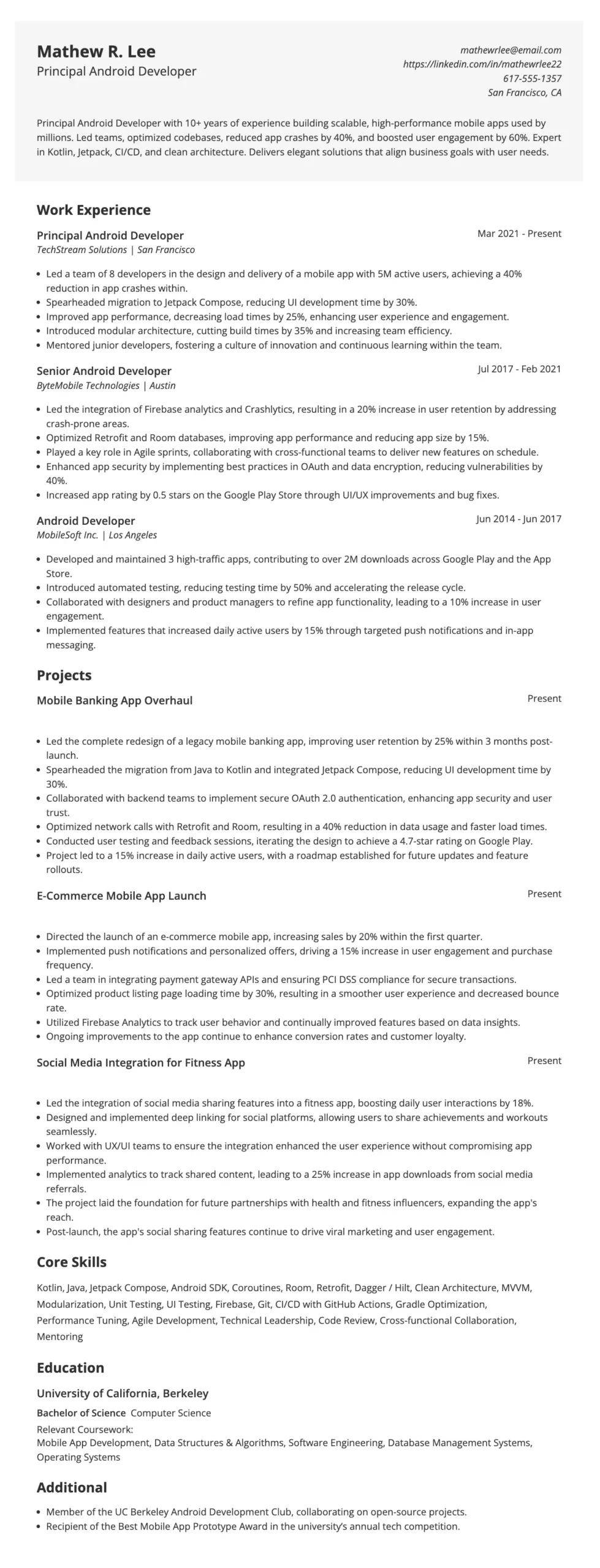
A Principal Android Developer role demands strong hands-on experience with Kotlin, Jetpack, and modern Android architecture. Employers want someone who can lead teams, ship scalable apps, improve performance, and mentor others. Your resume should show impact—reduced crashes, faster load times, or increased user experience—alongside evident technical expertise.
This resume combines clear results with substantial technical depth. The work experience section shows a clear career progression, and each role highlights specific impact, like crash reduction, faster load times, and user growth, backed by tools and frameworks employers care about. The layout is clean, the skills section is sharp, and the projects show real-world value. It’s easy to skim but packed with proof of performance, which is exactly what hiring managers want.
Entry-level Android developer resume example
Looking to land your first Android development role but unsure how to showcase your projects and experience? Not sure how to highlight your technical skills and impact? This resume example is a solid starting point if you’re aiming to stand out as an entry-level Android Developer.
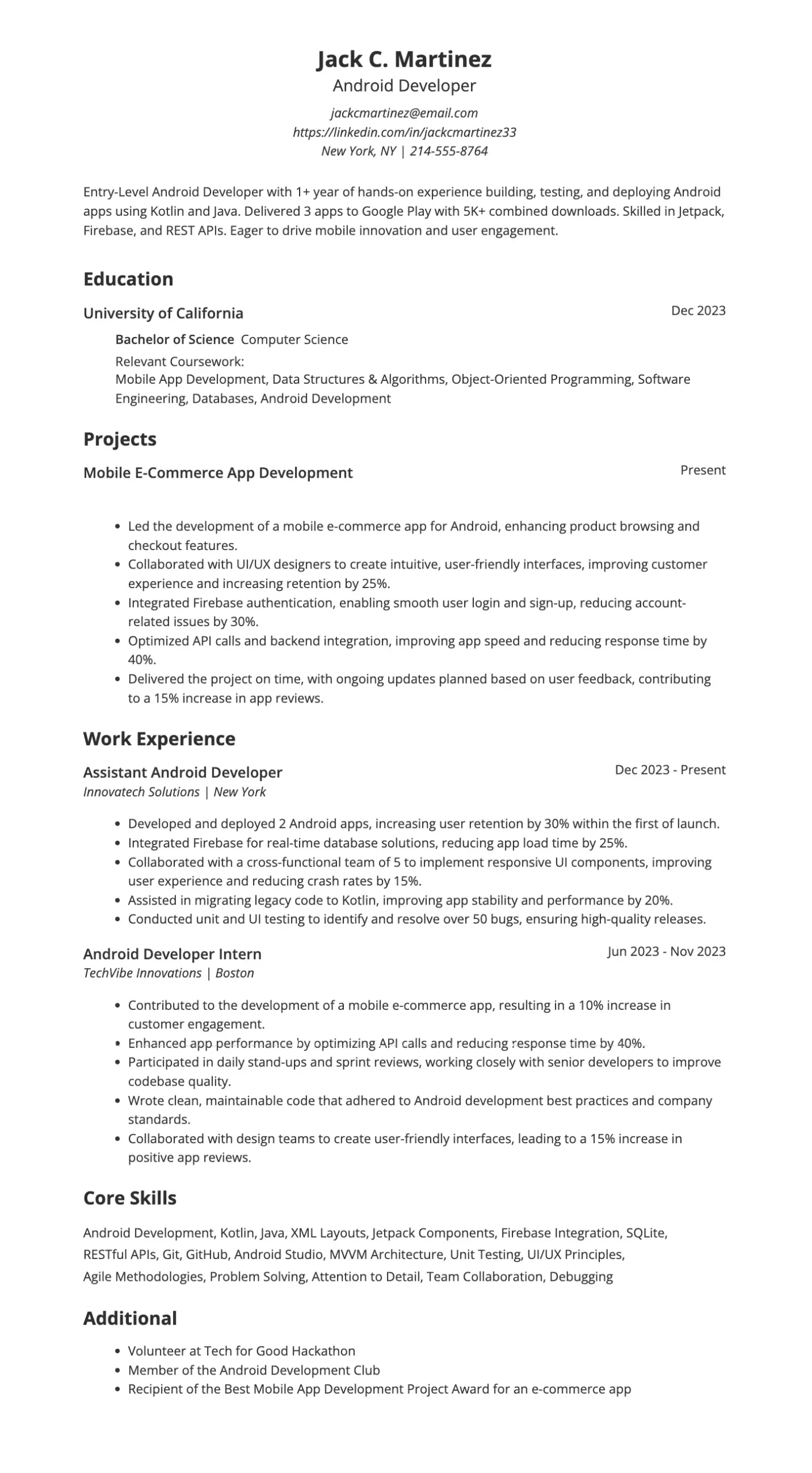
This role calls for someone who’s hands-on with Kotlin, Java, and Android Studio, and can build clean, functional apps from the ground up. Employers expect candidates who can collaborate in teams, debug efficiently, and contribute to real-world app launches. A strong foundation in UI/UX, APIs, and mobile architecture proves you’re ready to hit the ground running.
This resume template works because it starts with a clear, focused summary highlighting key skills and real results—perfect for an entry-level role. The internship adds weight, showing hands-on experience and team collaboration. Projects are detailed with outcomes, which helps employers see the value immediately. It strikes the right balance between technical ability and practical impact, which is exactly what hiring managers look for.
Also Read: 10 Best Resume Skills to Put on a Resume
How to write an Android developer resume that will get you an interview
Landing your next Android developer role starts with a resume that does more than list your skills — it needs to sell your expertise and make recruiters notice. Many tech companies use applicant tracking systems (ATS) to streamline the hiring process. These systems work like search engines, scanning resumes for specific keywords and formatting to decide which applications move forward. To ensure your resume reaches the hiring team, including the right technical terms and structuring your content clearly is essential.
For an Android developer role, hiring managers often look for keywords such as “Kotlin,” “Jetpack Compose,” “RESTful APIs,” “MVVM architecture,” and “Android SDK.” Including these specific terms can significantly boost your chances of making it through the initial screening.
How ATS works:
Job posting setup: Employers define key skills, tools, and qualifications in the job description.
Resume scanning: The ATS scans your resume for relevant keywords and parses critical details like job titles, skills, and education.
Searchable database: Hiring managers search the database using those keywords to find top matches for the role.
Want your resume to pass ATS filters and stand out to recruiters? Use Jobscan’s ATS resume maker to create an ATS-optimized resume that aligns with Android development best practices—completely free!

Key elements of an Android developer resume
To make a strong impression, your resume should include the following:
- Professional summary: A quick pitch that highlights your value.
- Technical skills: List programming languages, tools, and platforms you specialize in (e.g., Kotlin, Java, Android SDK, Jetpack).
- Professional experience: Highlight projects or apps you’ve built or contributed to, including your role and the technologies used in your work experience section.
- Projects: Include personal, freelance, or open-source projects that showcase your abilities, especially if you’re early in your career.
- Education and certifications: Include relevant degrees and Android certifications (e.g., Google’s Associate Android Developer).
- Portfolio or GitHub link: Showcase your work with links to published apps or repositories.
Write a strong professional summary
Your professional summary is the first thing recruiters see, and it’s your chance to quickly tell them why you’re a great fit. Keep it concise, focused on impact, and tailored to the job you want.
Let’s look at some examples of both good and bad professional summaries below.
Good examples of a resume summary
- “Android developer with 5+ years of experience building scalable mobile apps for startups and enterprise clients. Proficient in Kotlin, Java, Jetpack Compose, and software development with a passion for intuitive UI//UX design principles and clean architecture.”
- “Results-driven Android engineer with a proven track record of publishing apps with over 1 M+ downloads in the Google Play Store. Strong background in mobile application development, agile development, RESTful APIs, and performance optimization.”
Bad examples of a resume summary
- “I’m an Android developer looking for a job where I can learn and grow.”
- “Hardworking and reliable developer with some experience in Android.”
Let Jobscan’s resume summary maker take the guesswork out of writing your professional summary. It helps you create a compelling, ATS-friendly introduction tailored to your Android development experience. Simply enter your details, and Jobscan will generate a polished, keyword-optimized summary designed to catch the attention of hiring managers and recruiters!
Demonstrate key Android developer skills
Recruiters and hiring managers want to see the right mix of hard skills (technical expertise) and soft skills (collaborative ability) in your core skills section. Clearly showing both hard and soft skills on your resume helps demonstrate you’re a well-rounded candidate.
Hard skills for an Android developer
- Kotlin
- Java
- Android SDK
- Jetpack
- Jetpack Compose
- MVVM
- RESTful APIs
- Firebase
- SQLite
- Room
- Git
- Hilt
- JUnit
- Espresso
- Gradle
Soft skills for an Android developer
- Problem-Solving
- Communication
- Adaptability
- Time Management
- Collaboration
- Willingness to Learn
Highlighting these skills in your bullet points is key to demonstrating your value. However, presentation is everything—let’s break down examples that show how to do it correctly.
Write impactful resume bullet points for a android developer
Resume bullet points are the core of your experience section. They should clearly communicate your skills, the impact you’ve made, and the value you bring to a team. Instead of listing tasks, focus on what you accomplished using specific tools, action verbs, and measurable results. Here’s what that looks like:
Good examples of resume bullet points
- “Developed and launched 5+ Android apps with over 500,000 total downloads, using Kotlin, Jetpack Compose, and MVVM architecture.”
- “Integrated RESTful APIs and improved app performance by 30% through optimized data caching and threading techniques.”
- “Collaborated with UX designers to implement responsive UI elements, resulting in a 4.7 average Play Store rating.”
- “Led migration from Java to Kotlin for a legacy app, reducing codebase size by 20% and improving readability.”
Bad examples of resume bullet points
- “Worked on Android stuff.”
- “Helped the team members with mobile development.”
- “Fixed bugs and did testing.”
- “Made UI better.”
Take advantage of Jobscan’s bullet point generator to write impactful, results-driven bullet points for your Android developer resume. Simply upload your resume and the job description to your Jobscan dashboard, and the tool will generate personalized phrase suggestions that showcase your technical skills, key accomplishments, and project impact, helping you stand out to recruiters.
Highlight your achievements as an Android developer
Achievements are essential in an Android developer resume because they demonstrate the value you’ve brought to previous roles. Quantify your impact by including app downloads, performance gains, and user ratings. Highlight significant milestones like successful app launches, optimizations, or leading key projects to emphasize your contributions.
Here are some examples of how to highlight your achievements effectively:
- “Developed and launched 5+ Android apps with over 500,000 total downloads, increasing the app’s user base by 40%.”
- “Improved app performance by 30% through optimization of API calls and data caching, reducing load times by 25%.”
- “Led a cross-functional team of 7 to deliver a major app update, increasing user retention by 15%.”
- “Created and implemented a custom notification system, increasing user engagement by 20%.”
- “Optimized legacy codebase, reducing crash rates by 50% and increasing overall app stability.”
Tailor your resume to the job description
Customizing your resume for each job application significantly increases your chances of getting noticed. By aligning your skills and experiences with the specific requirements in the job description, you show the employer that you’re the perfect fit for the role.
- Analyze the job posting: Carefully read the job description to understand the key skills, qualifications, and experiences the employer is looking for.
- Highlight relevant skills: Focus on the technical skills and tools mentioned in the job description (e.g., Kotlin, Jetpack, Android Studio) and ensure they’re front and center on your resume.
- Match experience: If the job emphasizes specific experiences (e.g., building scalable apps or leading a team), be sure to highlight similar projects or responsibilities you’ve handled.
- Use keywords: Many companies use applicant tracking systems (ATS) to filter resumes. Including relevant keywords from the job description helps your resume pass through these systems.
- Focus on achievements that align with the role: Customize your achievements to reflect the core responsibilities of the job, whether it’s improving app performance, launching new features, or collaborating with cross-functional teams.
Also Read: The Top 5 ATS Resume Keywords of 2025
Include relevant education and certifications
Education and certifications can strengthen your resume by showing you have the foundational knowledge and expertise required for the role. While a degree is not always necessary, certifications can demonstrate your commitment to professional growth and expertise in Android development.
Here’s how to effectively showcase your education and certifications:
- List your degree, field of study, and educational institution (e.g., Bachelor of Science in Computer Science, XYZ University).
- For recent graduates, include your graduation year and relevant coursework such as mobile app development, data structures, or algorithms in your education section.
- If you’re new to Android development or transitioning careers, emphasize Android-specific training or courses, such as Kotlin, Android development bootcamps, or app design.
- Highlight certifications demonstrating your expertise, such as Google Associate Android Developer, Kotlin certification, or Android development nanodegrees.
- Prioritize certifications that are well-regarded in the Android development field and relevant to the position you’re applying for.
Top Android developer certifications
Here are some top certifications that can enhance your resume:
- Google Associate Android Developer Certification
- JetBrains Kotlin Certification
- Android Development Nanodegree (Udacity)
- Udemy Android Development Courses
- Coursera Android Development Specialization
Android developer resume tips
A polished, well-structured resume can make all the difference when applying for Android developer roles. Use the tips below to improve your resume’s effectiveness and stand out in a competitive job market:
- Keep it concise: Aim for a one-to-two-page resume and focus on the most relevant information.
- Use a clean format: Choose a modern, easy-to-read layout with clear headings, consistent spacing, and logical flow.
- Use action verbs: Start each bullet point with strong action verbs like “developed,” “led,” “optimized,” or “implemented.”
- Quantify your impact: Include metrics where possible (e.g., download counts, performance boosts, user ratings).
- Tailor for each job: Adjust your resume for each role using keywords and aligning your experience with the job description.
- Showcase your portfolio: Include links to GitHub, case studies, or live apps to let employers explore your work firsthand.
- Highlight both hard and soft skills: Balance technical abilities like Kotlin or RESTful APIs with collaboration and communication strengths.
- Include certifications: Add relevant certifications to validate your expertise and show your commitment to professional development.
- Avoid generic statements: Be specific about your contributions and achievements—generic phrases won’t set you apart from other candidates.
- Proofread: Spelling and grammar mistakes can make a bad impression. Double-check your resume before submitting.
Also Read: How to Organize Your Resume Sections to Stand Out?
Include a cover letter with your Android developer resume
Adding a cover letter to your Android developer resume can make a strong first impression. It provides an opportunity to demonstrate your enthusiasm for the role, highlight your technical expertise, and explain why you’re the ideal fit for the position. A well-written cover letter can set you apart from other candidates who only submit a resume.
What to include in your cover letter:
- Personalize it: Address the letter to the hiring manager whenever possible, avoiding generic greetings like “To whom it may concern.”
- Start with a strong opening: Capture attention by briefly mentioning your experience in Android development and why you’re excited about the opportunity.
- Highlight relevant skills and achievements: Focus on key technical skills or accomplishments that match the job description, such as experience with Kotlin, Jetpack, or optimizing app performance.
- Showcase your passion for development: Let your enthusiasm for building innovative Android apps and solving complex problems shine through.
- Keep it concise: Aim for a cover letter no longer than one page, maintaining a professional yet engaging tone.
- End with a call to action: Express your interest in discussing the role further and thank the hiring manager for considering your application.
Including a well-thought-out cover letter can demonstrate your commitment and significantly increase your chances of securing an interview. Need help creating a compelling cover letter? Consider using tools like Jobscan’s cover letter maker to create an ATS-optimized letter that complements your resume and grabs the hiring manager’s attention!
Build a winning Android developer resume and land more interviews
Creating a standout Android developer resume takes more than just listing your skills—it’s about showcasing your experience, highlighting your achievements, and tailoring your content to the role. By combining clean formatting, relevant keywords, and strong examples, you’ll increase your chances of getting noticed and landing interviews.
Need help getting started? Jobscan’s free resume builder takes the hassle out of writing your Android developer resume. Easily create a clean, ATS-optimized resume that highlights your skills, meets industry standards, and helps you stand out to recruiters—so you can confidently land more interviews.

Android developer common interview questions
Answer:
”An Activity is a single, focused screen that the user interacts with, whereas a Fragment is a reusable portion of the UI within an Activity. Fragments are helpful in creating flexible and modular UIs, especially for tablets or dynamic layouts. While Activities manage global app behaviors, Fragments allow for more fine-grained control of UI and behavior within a screen.”
Answer:
“I typically use WorkManager for deferrable and guaranteed background tasks, especially those that need to run even if the app is killed or the device restarts. For short-lived tasks tied to the app lifecycle, I use Coroutines with appropriate scopes like viewModelScope or lifecycleScope. I avoid using AsyncTask as it’s deprecated and less efficient.”
Answer:
“I focus on minimizing unnecessary work on the main thread, using tools like StrictMode and Profiler to identify bottlenecks. I also optimize RecyclerView performance with view recycling, use lazy loading for images with libraries like Glide, and reduce overdraw in layouts. Caching and efficient network calls also play a big role.”
Answer:
“I follow the MVVM architecture pattern because it separates concerns well and works seamlessly with tools like LiveData, ViewModel, and DataBinding. For dependency injection, I use Hilt and organize the code into modules for scalability and testability. Clean architecture principles also guide how I structure features and data layers.”
Android developer resume frequently asked questions
When highlighting your Android developer skills, focus on hard and soft skills that demonstrate your technical expertise and ability to work in a team. Key hard skills include Kotlin, Java, Android SDK, Jetpack, MVVM, Firebase, RESTful APIs, Gradle, Git, Version Control System (VCS), and Jetpack Compose. Soft skills such as problem-solving, communication, adaptability, collaboration, and time management are also essential. Additionally, experience with modern Android development tools and libraries like Room, Hilt, and Retrofit can set you apart from other candidates.
Your education experience should be included in a dedicated section titled “Education.” If you have a degree in computer science, software engineering, or a related field, list the degree, school name, and graduation year. If you’ve completed any Android development courses or boot camps (e.g., Udacity, Coursera, or Google’s Android Developer Nanodegree), make sure to list these as well.
If you’re new to Android development, focus on demonstrating your technical skills through specific projects, internships, or coursework. Highlight any hands-on experience with Android development tools, coding languages (such as Java or Kotlin), and relevant frameworks (such as Jetpack or Firebase). You can also emphasize transferable skills like problem-solving, communication, and collaboration. Additionally, consider including a projects section where you detail Android apps or app features you’ve developed independently, showcasing your ability to apply your skills in real-world situations.